
Most people treat LinkedIn like a digital resume holder. They create an account and upload their CV and then forget about it until they need a job. This is a huge mistake. LinkedIn is not just a job portal like Naukri or Indeed. It is a massive search engine where Recruiters and CEOs hang out every day to find talent. If your profile is dormant you are invisible to the people who want to pay you money.
Imagine you are a product sitting on a shelf in a supermarket. If your packaging is dusty and boring no one will pick you up. But if your packaging is bright and clear everyone will want to try you. Your LinkedIn profile is your packaging. It tells the world who you are and what you can do. A well optimized profile works for you while you sleep. It brings job offers directly to your inbox without you applying for them.
In 2026 the traditional way of applying for jobs is dying. Sending emails to HR is becoming less effective because their inboxes are full. The new way is to build a personal brand so strong that companies fight to hire you. In this guide we will break down the exact steps to turn your boring profile into a magnetic landing page that attracts opportunities.
The Visual First Impression
Your photo is the first thing a human sees. Do not use a selfie. Do not use a photo where you are wearing sunglasses or standing at a party. You need a Headshot. This means a photo of your face from the shoulders up with a clean background. You should look friendly and professional. Behind your photo is the Banner Image. Most people leave this empty which is a waste of prime real estate. Use Canva to create a banner that says what you do. For example if you are a writer your banner should say “I help brands tell stories”. This text on the banner acts like a billboard for your skills.
The Headline Formula
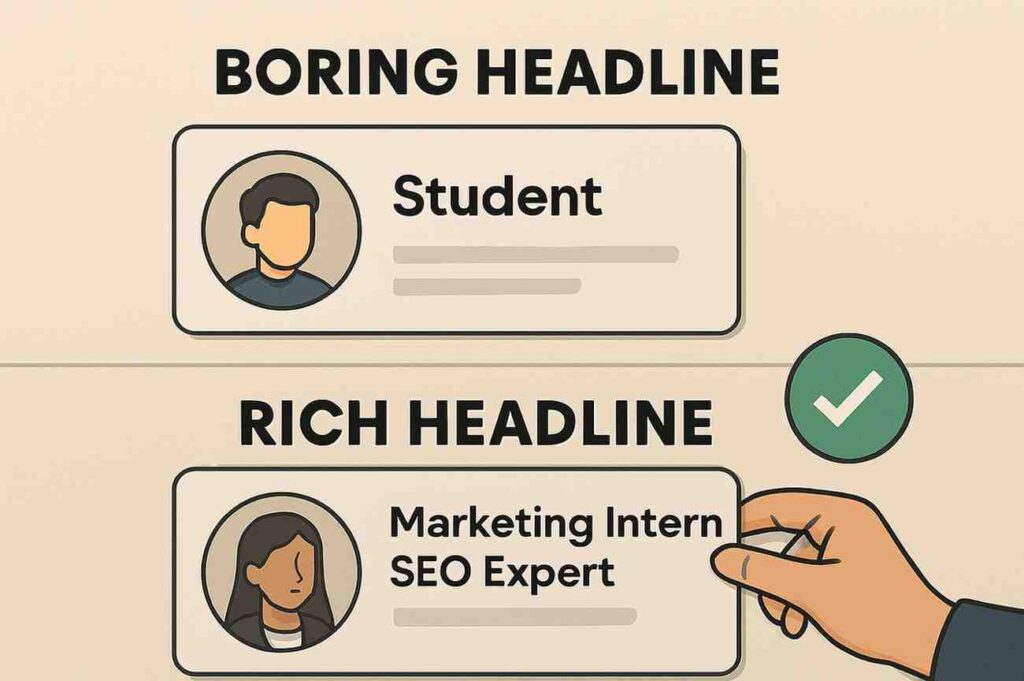
Your Headline is the text written right under your name. By default LinkedIn puts your current job title there like “Student at Delhi University”. This is boring and tells the recruiter nothing. You must use keywords. The search algorithm looks for keywords in your headline. The Formula: [Job Title] | [Key Skills] | [What Value You Add]
Bad: Software Engineer
Good: Python Developer | Django & AWS Specialist | Building Scalable Web Apps
Student Example: B.Tech Student | Java & SQL | Aspiring Full Stack Developer
👉 Read Find the Right Keywords for Your Profile (ATS Guide)
Writing a Story in the About Section
The “About” section is where you sell yourself. Do not write “I am a hard working student looking for a job”. Everyone writes that. Write a story. Start with a hook. “I wrote my first line of code when I was 12 and I fell in love with logic.” Explain Why you do what you do. Mention your achievements and your projects. End with a Call to Action (CTA). Tell them how to contact you. “Open to internship opportunities. Email me at xyz@gmail.com”. This makes it easy for recruiters to reach you instantly.
Resume vs LinkedIn Profile
| Feature | Resume | LinkedIn Profile |
| Length | 1-2 Pages Maximum | Unlimited Length |
| Tone | Formal and Strict | Conversational and Personal |
| Purpose | To apply for a specific job | To build a personal brand |
| Visibility | Private (Only HR sees it) | Public (Whole world sees it) |
Networking The Right Way
Having a great profile is useless if you have zero connections. You need to connect with people in your industry. Do not just click “Connect”. That is lazy. Always add a Personal Note. Tell them why you want to connect. “Hi Ravi I read your post about AI trends and I found it very insightful. I am also learning AI and would love to connect.” People are more likely to accept your request if you show genuine interest in them. Once they accept do not ask for a job immediately. Engage with their content first. Like their posts and comment valuable thoughts.
👉 Read : Improve Your Writing Skills for Comments (Content Writing)
Connection Request Scripts
| Recipient | Script Template |
| Alumni (Senior) | “Hi [Name] I am a junior at [College]. I see you are working at [Company]. Your career path inspires me. Would love to connect.” |
| Recruiter | “Hi [Name] I am a [Skill] specialist. I saw you are hiring for [Role]. I believe my skills match the requirement perfectly. Connecting to stay updated.” |
| Industry Peer | “Hi [Name] I loved your recent article on [Topic]. I share similar interests in [Field]. Would love to be part of your network.” |
The Importance of Recommendations
Social proof is powerful. If you say “I am good” it is a claim. If your boss says “He is good” it is a fact. Ask your professors or past internship managers or even colleagues to write a Recommendation for you on LinkedIn. You can trade recommendations. You write one for a friend and they write one for you. Having 3 to 5 strong recommendations on your profile creates immense trust. It proves that you are easy to work with and you deliver results.
Profile Optimization Checklist
| Section | Action |
| Photo | Is it professional and clear? |
| Headline | Does it contain your main keywords? |
| URL | Did you customize your public URL? |
| Skills | Did you add top 5 skills? |
| Activity | Did you comment on 3 posts this week? |
Conclusion
LinkedIn is a long term game. You cannot expect magic overnight. But if you spend just fifteen minutes every day updating your profile and talking to people you will see results. Opportunities will start knocking on your door. Do not wait for the perfect job to appear. Go out there and create your own luck.
Get discovered with SatJobz.
Frequently Asked Questions
Q1. Should I accept requests from strangers?
Yes on LinkedIn strangers are potential opportunities. As long as they look like genuine professionals in your field you should connect with them to expand your network.
Q2. Is LinkedIn Premium worth it for students?
For most beginners the free version is enough. Premium is useful if you are actively applying for many jobs and want to see who viewed your profile or message recruiters directly.
Q3. How often should I post?
Consistency matters more than frequency. Posting once or twice a week is enough. Share your learning journey or certificates or industry news.
(Disclaimer: LinkedIn algorithms change often. The strategies here are based on best practices for visibility.)

admin
Expert content creator dedicated to providing authentic educational and career updates.